AI Face Blur: An Effective Method of Safeguarding Privacy in Images without Sacrificing Quality

An Effective Method of Safeguarding Privacy in Images without Sacrificing Quality
Today, sharing photos across social media, online newspapers, and public datasets has become a very common everyday activity that requires protecting personal data all the time. The solution to the problem is provided with AI Face Blur software that can detect the presence of faces in an image and make the persons hidden through applying blur or pixelating effects to their faces, while maintaining the background untouched. Previously, such work was performed manually in a photo editor; now this can be done within several seconds and proves to be handy when working with group photos, pictures from events, or a batch of pictures.
The principle of the technology is simple: computer vision algorithms recognize facial attributes like eyes, nose, and mouth and blur the area on top of them. In the modern AI Face Blur solutions, the entire process is performed locally in the browser thanks to the use of such technologies as WebAssembly. Thus, one more problem is solved: unlike cloud-based editors, no photo has to be uploaded to a remote server in order to get it processed.
How the Free AI Face Blur Tool on freeaitoolforthat.com Works
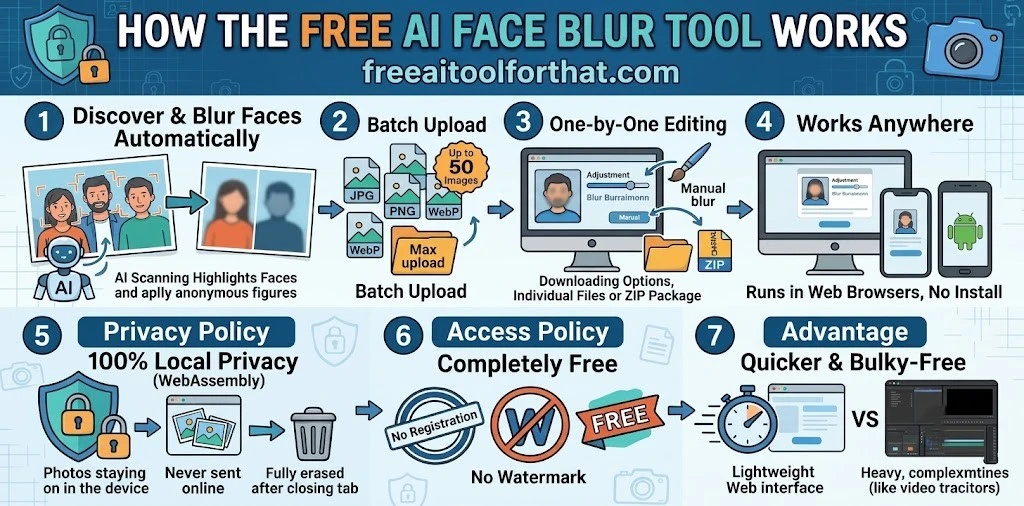
• Primary Feature: Discover and blurs faces in uploaded photographs automatically. • File Type and Size: JPG, PNG, and Web files can be prepared; up to 50 images can be uploaded together.
• Editing and Downloading: Images are edited one by one; there is an option to manually adjust blurring images if needed and to download individual files or ZIP package.
• Multiplatform Compatibility: The tool runs only in regular web browsers on computers, iPhone, and smart phones without having to install any additional software.
• Privacy Policy: Utilizes Web Assembly technology to process pictures locally which guarantees that uploaded images are never sent online and are safe or fully erased after closing the browser tab.
• Access Policy: Completely free of charge to use; no registration is required; no watermark is used.
• Advantage Over the Competition: Much quicker and more user-friendly way of masking still images than bulky video editing applications such as Cap Cut and PicsArt.
Importance of Local Processing
Local processing is more than just a technicality. In case an image includes faces of kids, eyewitnesses, workers, or onlookers, uploading the image to some cloud server introduces an extra security risk. Clouds always maintain logs or at least temporary copies, despite being trustworthy providers. Applications that run all operations in-house decrease the risk surface area drastically. Additionally, they are capable of working offline after initial page loading.
However, local processing alone is not enough to guarantee proper protection of the user. Blur does help, but there were cases when malicious entities managed to reconstruct the facial structure of the person whose photo was severely blurred. For particularly risky use cases, additional measures such as extra pixelation, face cropping, and even replacing the face area with a synthetic one should be taken. Metadata stripping (removal of GPS coordinates and other information about the camera used) can be considered as an accompanying technique.
Everyday Use Cases
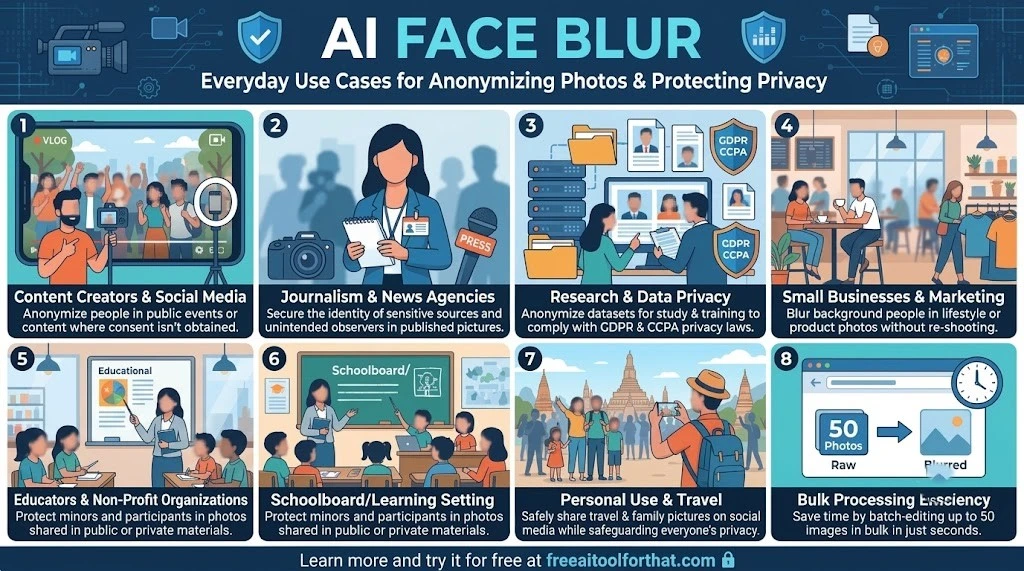
• For Content Creators and social media: To anonymize users who were covered in events or created content where definite consent could not be obtained.
• For Journalism and News Agencies: To secure the personalities of sensitive sources and unintended observers that appeared in published pictures.
• For Research and Data Privacy: To anonymize pictures before they could be used for analysis and training purposes and comply with GDPR or CCPA.
• For Small Businesses and Marketing Campaigns: To blur background people in photos of a product or lifestyle pictures without having to re-photograph the picture.
• For Educators and Non-Profit Organizations: To easily make public or private materials through the masking of photos containing minors or participants.
• For Personal Purposes: To share, travel or family pictures on social media while safeguarding the privacy of individuals.
• For Bulk Processing Efficiency: Saves time on editing a batch of images (for example, 50 photos) from an hour a quick preview before downloading.
Practical Advice and Limitations
To get optimal outcomes, begin with images or pictures that have moderate lighting with proper face sizes. Too tiny faces in the distance, deep shadows, and extreme face angles might sometimes negatively impact detection quality. In such instances, the manually adjusting feature would come in handy. After using the tool, you need to analyze the previewed output especially when there are several faces in the photo—prior to distributing. Sometimes, it is possible to adjust the blur intensity; in most cases, a moderate Gaussian blur appears to be more natural as compared to a heavily pixelated output.
Limitations do exist. The freeaitoolforthat.com tool is designed specifically for still images but not videos. To deal with videos, one would need specialized video editing software or face tracking tools. Huge volumes of images above the stated number or excessively large-resolution images can potentially stretch the capabilities of the browser due to device specifics. Finally, although the offline mode is a great privacy feature, users still need to consider where to store the edited photo.
Selecting and Implementing These Tools
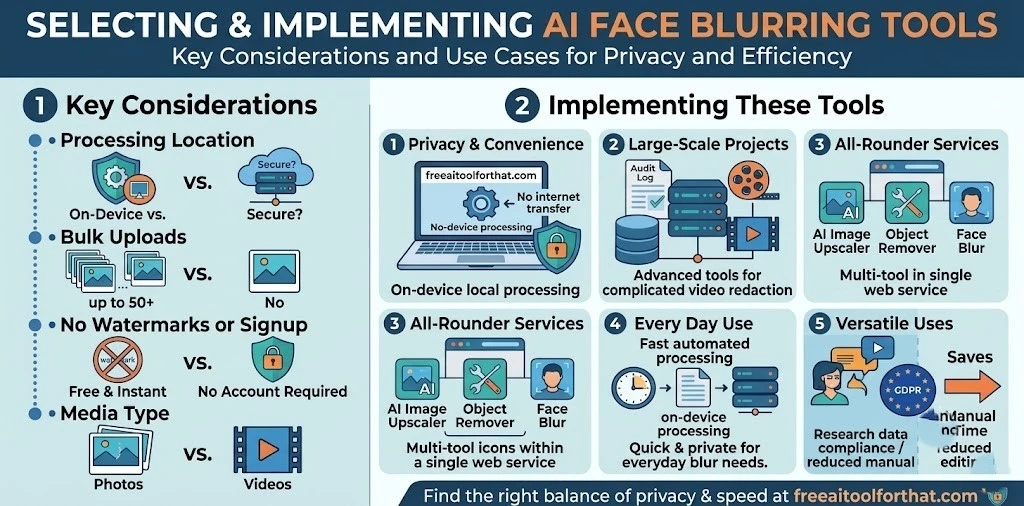
• Key Considerations: Assess AI face blurring tools in terms of where they process images (on-device vs. in the cloud), whether bulk uploads are possible, whether they require watermarks or account signup, and whether they work with photos or videos. • Privacy and Convenience: On-device and web tools such as freeaitoolforthat.com deliver top-notch privacy and convenience, since your initial unblurred, images won’t be transferred through the internet. • Large-Scale Projects: Extremely complicated projects that deal primarily with videos can still benefit from special tools equipped with audit log and redaction features. • All-Rounder Services: Tools such as freeaitoolforthat.com feature additional AI utilities, including AI Image Upscaler and Object Remover, making it possible to handle many photo editing tasks within one service. • Every Day Use: Automated, fast, private and free face blurring has turned into an indispensable daily tool due to the on-device processing feature and bulk uploads. • Versatile Uses: Regardless of the task – be it social media requirements, journalist ethics, scientific research data handling, or just plain common sense, automated AI blurring greatly reduces manual editing time spent.
Conclusion
As the volume of digital image sharing continues to explode across social media and professional platforms, protecting personal privacy has shifted from an afterthought to an absolute necessity. AI-driven face blurring solutions have completely revolutionized this workflow, replacing tedious manual editing with rapid, automated detection that easily handles bulk uploads. Tools like the free AI Face Blur on freeaitoolforthat.com make it incredibly simple to anonymize subjects without compromising the original image's background, democratizing privacy protection for journalists, researchers, marketers, and everyday users alike.
The true game-changer in this space is the commitment to local, on-device processing. By utilizing technologies like Web Assembly, these platforms eliminate the security vulnerabilities of cloud servers, ensuring that unedited photos of sensitive sources or casual bystanders are never actually transmitted online. While users must still navigate minor constraints like manual adjustments in extreme lighting, this combination of zero-cost accessibility, batch processing, and absolute data security ensures that sharing visual stories no longer requires sacrificing personal privacy.
Frequently Asked Questions
How does the AI Face Blur tool work?
The tool uses computer vision models to automatically scan images for facial features (like eyes, noses, and jawlines). Once detected, it applies a controlled blur or pixelation effect over those areas, making individuals unrecognizable while keeping the rest of the image intact.
Are my photos uploaded to a cloud server?
No. The tool utilizes local processing (via Web Assembly) entirely within your web browser. This means your unblurred, original photos never leave your device, ensuring maximum privacy. Once you close the browser tab, the data is cleared from memory.Can I blur multiple photos at the same time?
Yes, the tool supports bulk uploads, allowing you to process up to 50 images at once. It processes them sequentially, and you can download the results individually or as a ZIP file.What image formats are supported?
The tool supports JPG, PNG, and WebP image formats.
Can I use this tool to blur faces in videos?
No, the tool at freeaitoolforthat.com is specifically optimized for still images. For moving footage, you would need a dedicated video editor or a specialized face-tracking tool.
Do I need to create an account or pay to use the tool?
No, the tool requires no signup, adds no watermarks to your output, and does not have usage counters for its core function. It is a free, browser-based utility.
What happens if the AI misses a face?
If the automatic detection misses a face (which can occasionally happen with extremely small faces, heavy shadows, or extreme profile angles), the tool provides a manual adjustment option so you can apply the blur exactly where it is needed.
Ready to try our AI tools?
Experience the power of free, private AI tools running directly in your browser.
Explore All Tools