Free AI Text to Speech: Paste a Script, Get a Voiceover

The studio quote came back higher than your entire video budget. Or you've got a 3,000-word article open in another tab and zero time to read it. Or it's late, the video goes up tomorrow, and nobody has recorded the narration.
In any of those situations, a text to speech tool starts to look pretty good. You paste the script, pick a voice, hit generate, and download the file. No microphone. No editing software. No invoice a week later.
This post walks through the Free AI Text to Speech tool from FreeAIToolForThat: what it does, who will get the most from it, and where it runs out of road.
How Text to Speech Works These Days
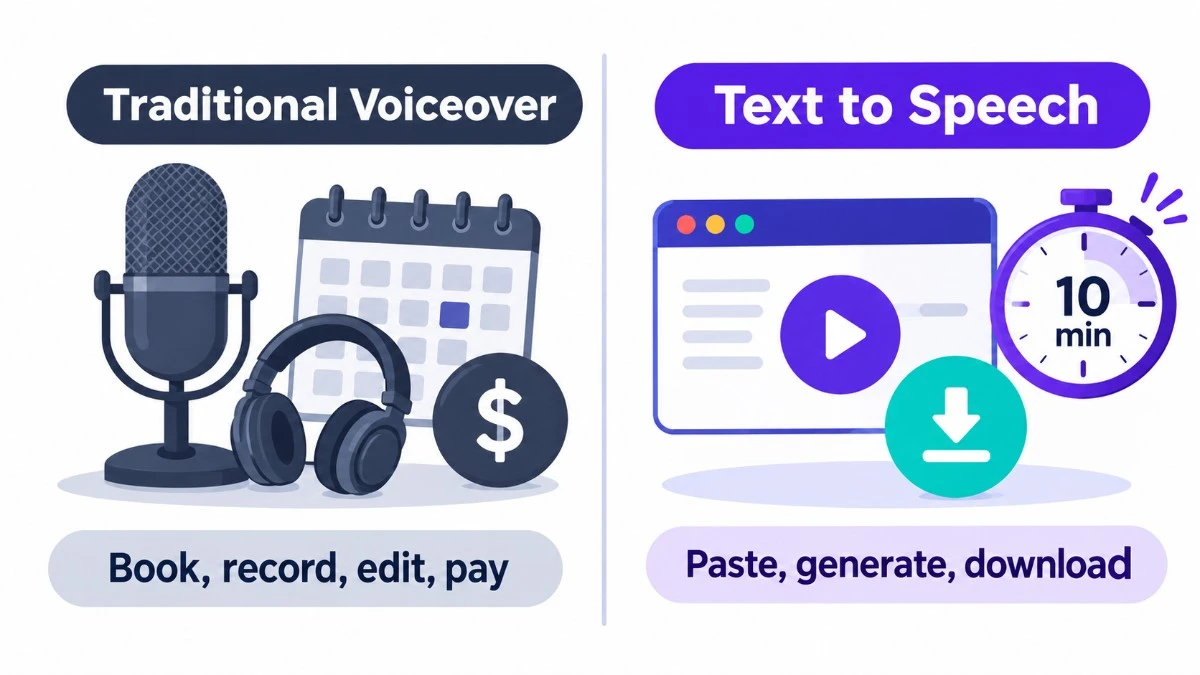
Text to speech (TTS) converts written words into spoken audio. The early versions sounded like a GPS reading a phone book, flat and slightly mournful.
Newer tools use neural models trained on huge amounts of recorded speech, and the gap is easy to hear. Rhythm is better. Pauses land where a person would pause. A question sounds like a question.
This tool runs on the Chatterbox Turbo model, right on the page. Nothing to install, no API key to track down. You open it and start typing.
Free, With One Catch
Plenty of "free" tools let you generate audio and then ask for an email address or a credit card before you can download it. This one doesn't. You can generate as much audio as you want. The single limit is 5,000 characters per request, which is a few paragraphs of text. If your script is longer, cut it into chunks and run them one after another.
There's also no account. That sounds minor until you're in a hurry and the alternative is a confirmation email and a password you'll have forgotten by Friday.
The Voices
The voices aim for natural delivery, with some intonation and a little emotion in them. That matters more than it might seem. Viewers will put up with shaky footage and mediocre lighting, but a robotic voice sends them clicking away fast.
The tool lists 20+ languages and accents, including English, Spanish, French, German, Chinese and Japanese. Hindi has its own voices, which is a real plus if you're making content for a Hindi audience in India.
Downloads and Commercial Use
Files come as MP3 with no watermark and no credit line required, so you can use them in YouTube videos, podcasts, course modules, slides or ads.
The audio is described as royalty-free, which covers commercial projects. Still, if you're building something for a paying client, read the terms of service first. Terms change, and it takes two minutes.
Where Your Text Goes
If you're converting a client's script, internal training material, or an article that hasn't been published yet, you'll want to know what happens to the text. Here is what the tool states about its handling:
- Used only for audio: Your text is processed only to generate the audio.
- No storage or AI training: It isn't stored and it isn't used to train models.
- Cleared on refresh: The page also says everything is cleared when you refresh.
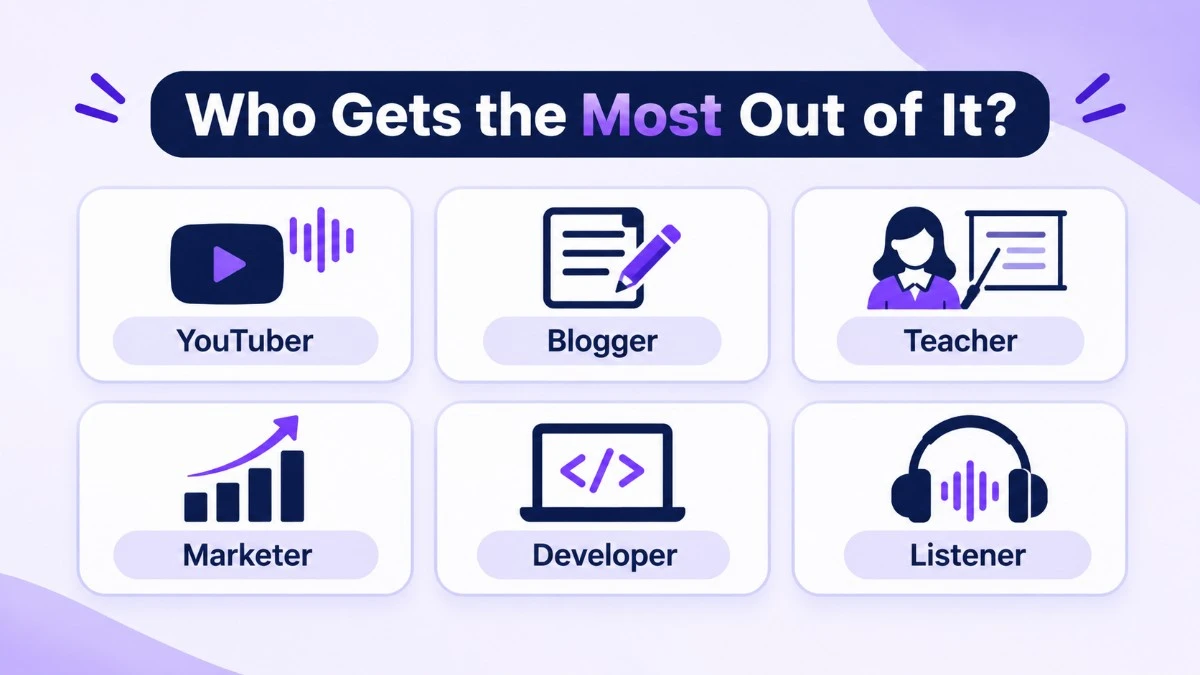
Who Gets the Most Out of It?
- YouTubers and short-form creators: Faceless channels, explainers and shorts all need a voice track. Generate it, drop it into your editor, and cut your visuals to match. It slots neatly into a CapCut-style workflow.
- Bloggers: Adding a "listen to this article" option is simple. Some readers would rather listen on the train, and it might keep them on your page longer.
- Teachers and course builders: Turn lesson notes into narrated modules. Students can replay the part that didn't click the first time.
- Marketers and agencies: Mock up a voiceover for an ad concept or demo and send it to the client before anyone pays for studio talent.
- Developers: Prototype a voice feature, test an accessibility flow, or generate sample audio for an app.
- Anyone who just prefers listening: Paste in a long read, press play, and go for a walk.
How to Use It (Step by Step)
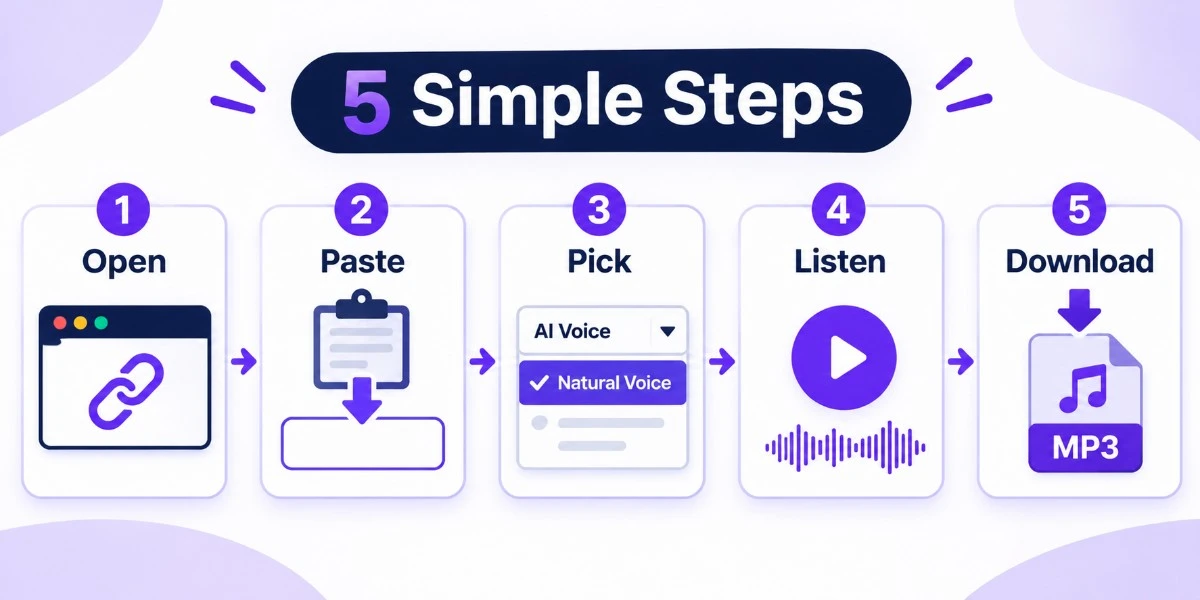
- Open the tool: Go to freeaitoolforthat.com/ai-text-to-speech.
- Add your text: Paste or type your script. Stay under 5,000 characters.
- Choose a voice: For Hindi, pick one of the Hindi options from the dropdown.
- Generate the speech: Click generate and listen to the preview.
- Download the file: Save the MP3. No watermark attached.
Getting Better Audio Out of It
- Write for the ear: Short sentences sound better out loud. If you'd run out of breath reading a line, split it.
- Let punctuation steer: A comma gives a small pause, a full stop gives a longer one, and a question mark lifts the pitch at the end.
- Check the awkward words: Brand names, acronyms and numbers trip up every AI voice. If one comes out wrong, try spelling it the way it sounds.
- Test a short sample first: Don't burn through 5,000 characters before you know you like the voice.
- Work in sections: Smaller chunks keep you under the limit, and you can redo a single paragraph without redoing the whole script.
How It Compares With ElevenLabs and Google TTS
ElevenLabs and Google Cloud Text to Speech are both excellent. They offer voice cloning, fine control over delivery, and enterprise APIs. They also come with pricing tiers, usage caps and account setup.
This tool is the opposite: quick, free, no fuss. If you need a cloned voice or studio-level control, pay for one of the big platforms. If you need a decent voiceover in the next ten minutes and would rather keep your wallet shut, this will do the job.
Frequently Asked Questions
1. Is it really free?
Yes. There's no subscription, trial or card. Convert as much text as you like, up to 5,000 characters at a time.2. Do I need an account?
No. No signup, no login.3. Can I use the audio commercially?
Yes, it's royalty-free, so YouTube videos, ads and business presentations are fine. Check the terms of service for current details.4. Is there a watermark?
No watermark, and no attribution needed.5. Does it support Hindi?
Yes. Pick a Hindi voice from the dropdown.6. How many languages are there?
20+ languages and accents, including English, Spanish, French, German, Chinese and Japanese.7. Is my text stored or used for AI training?
The tool says no. Your text is processed only to produce the audio.8. What's the character limit?
5,000 characters per request. For longer scripts, split them up and generate each part.9. Can I use it for YouTube and social media?
Yes. Creators use it for videos, reels, shorts, podcasts and presentations, and the files need no cleanup.10. How does it compare with ElevenLabs or Google TTS?
Those two offer voice cloning and enterprise APIs, but they come with pricing and setup. This is a free, no-registration option for everyday jobs.Final Thoughts
Good audio used to take a microphone, a quiet room and some editing skill. Now it takes a browser tab.
Is it a replacement for a professional voice actor on a flagship brand film? No. But for the everyday stuff, like videos, blog audio, course modules, demos and rough drafts, it clears away the usual obstacles of cost, signup and setup.
Paste your text and hear how it sounds.
Ready to try our AI tools?
Experience the power of free, private AI tools running directly in your browser.
Explore All Tools